Search Console SEO review: find pages with impressions but few clicks
Translated from Korean. View original
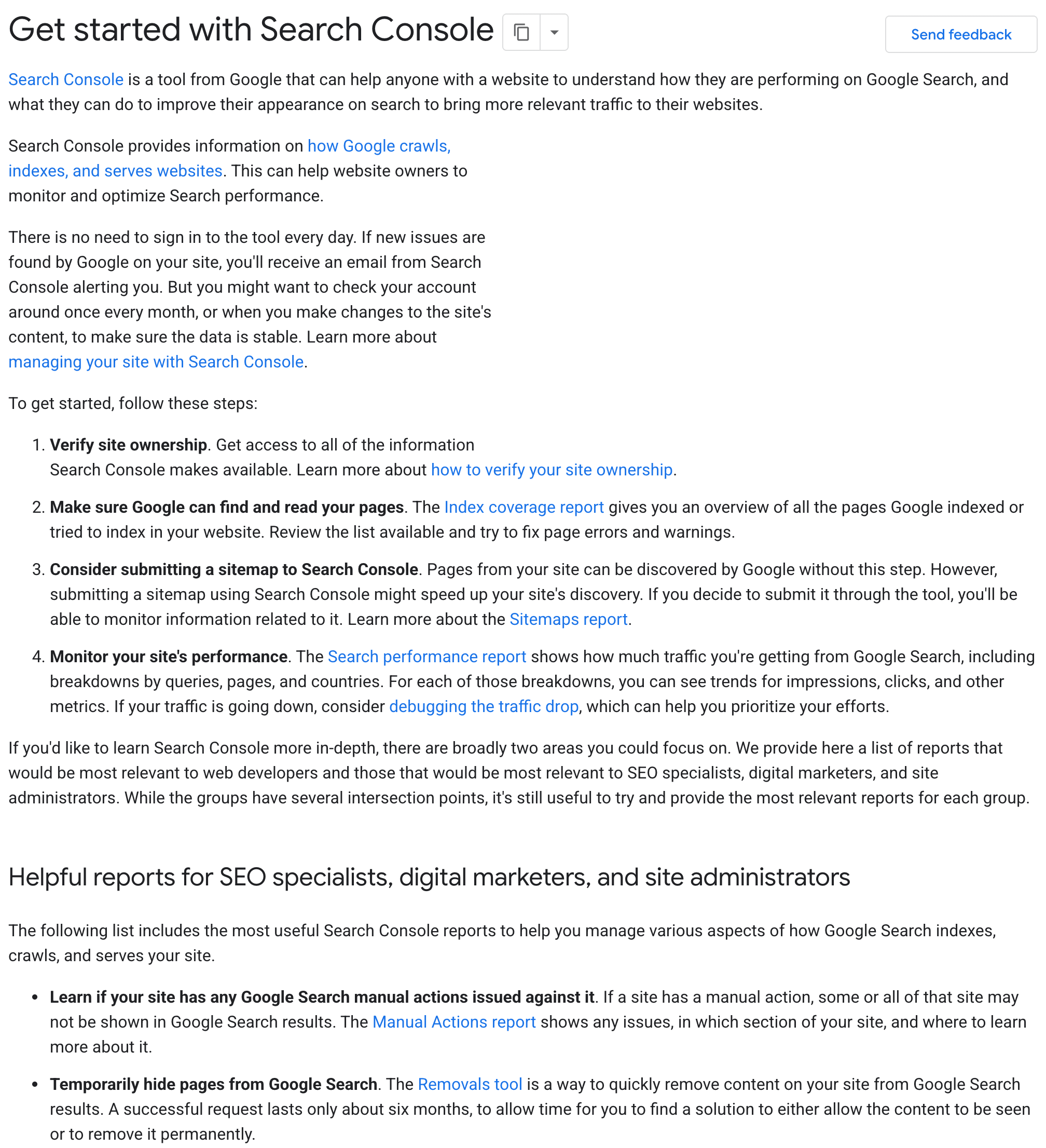
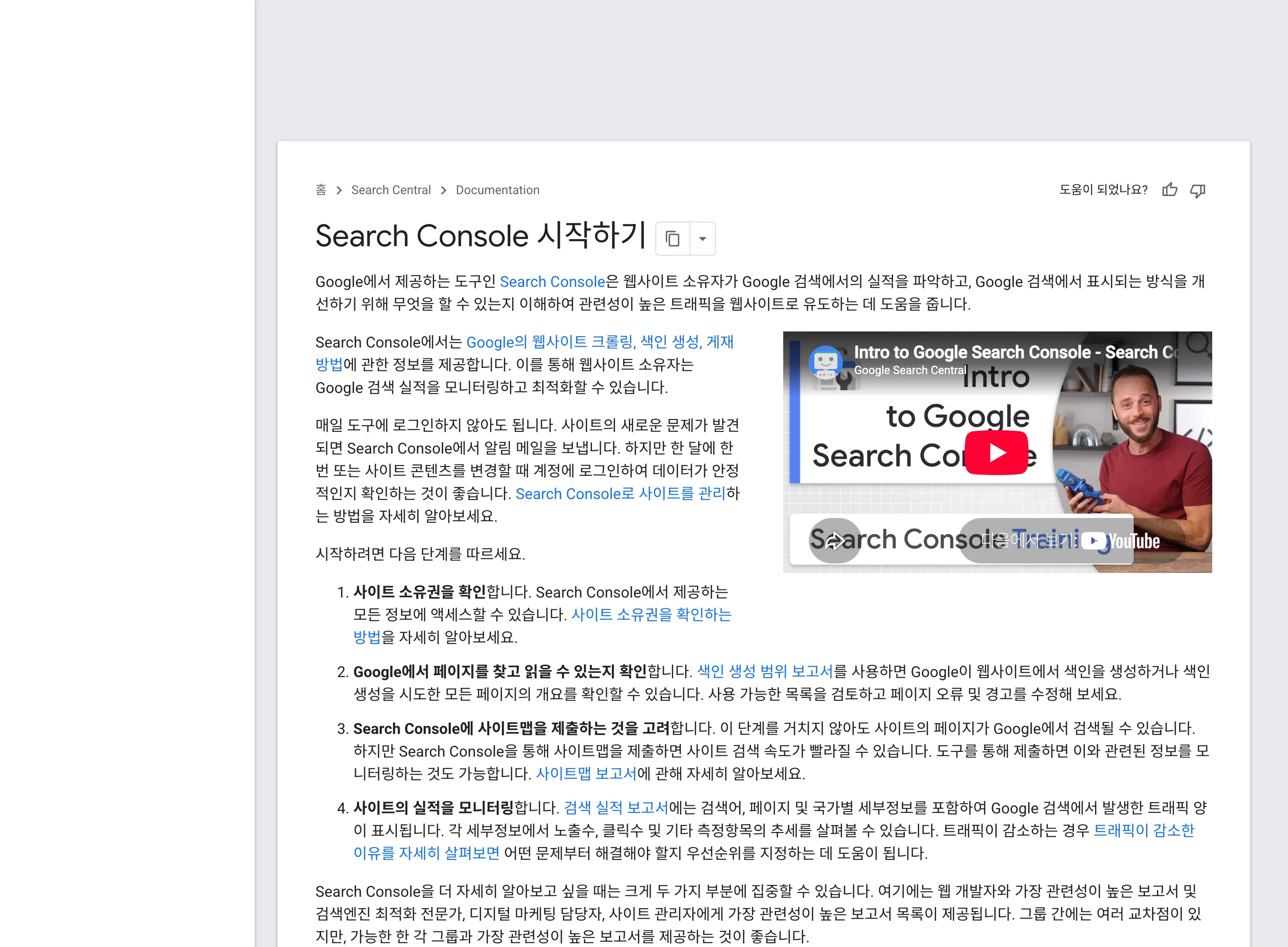
If a published article is hard to find in search or receives few clicks, inspect its URL in Search Console. Check indexing and compare impressions and clicks by query and device to find areas to improve. Compare the actual article with the search question instead of inferring the cause from numbers alone.

What should you check before search performance?
If a new article does not appear in search, start with URL Inspection. Check that it is public, has no noindex directive and that Google’s selected canonical matches the expected URL. Submitting a sitemap does not guarantee every page will be indexed or ranked.
Once indexing is confirmed, filter the performance report to the same URL. An individual guide may behave differently from a rising site-wide graph. Check that www differences or Korean URL encoding have not led you to a different page.
View original Korean screenshot
How do you read impressions, clicks, CTR and average position?
Impressions count appearances in search results; clicks count clicks through to the site. CTR is clicks divided by impressions. Average position aggregates positions across impressions and is not a fixed rank everyone sees now.
A page’s CTR can fall because it is appearing more broadly for new queries. Do not conclude from the page total alone that the title worsened; check changes by query and country/device conditions. Record figures before and after narrowing the filters separately.
Which articles should you improve first?
Find articles that could answer the search question but lack explanation. For example, a guide reached through installation queries has a reason to improve if it omits a command or success check. You do not need to force unrelated queries into the topic.
Include URL, query, impressions, clicks, CTR, average position, where the body answers and what is missing in the checklist. Prioritize by traffic scale and reason to edit together. There is no single CTR threshold or rank range suitable for every site.
Should you merge two articles appearing for the same query?
Two articles can serve different roles even if they appear for the same query. An MCP concept article and an installation guide may both be needed. Compare titles, opening paragraphs and incoming queries to see whether they actually repeat the same answer.
If content and purpose are nearly identical, consider consolidating the explanations. Check internal links and existing visit paths before removing a URL. For different intent, clarify each answer in its title and body and cross-link where helpful.
| Choice | When to consider it | Also check |
|---|---|---|
| Consolidate | Content and purpose are nearly the same | Internal links and existing visit paths |
| Keep both | They answer different questions | Each answer and useful cross-links |
- Explains what MCP is.
- Explains how to install MCP.
- Answers the same question with the same steps.
- Consolidate the explanation and check existing links.
What should you specify when giving data to AI?
Provide a page-by-query table and ask: “Choose candidates to update. For each URL list the supporting query, the insufficient paragraph and what to improve. Do not estimate numbers absent from the table.” Include the date period, country and device conditions.
Also explain the scope of the export. Do not assume a table containing only some queries sums to total clicks. For before-and-after data, give each period’s dates and filters; mark cells without data as requiring verification.
When and how should you judge an edit?
Record the URL, change and date. Later, inspect search performance under the same conditions and check whether the mix of queries changed. A single numerical change rarely establishes the effect of the edit.
Seasonality or changes in search-result composition may also affect position and clicks. Distinguish the observation “increased after the edit” from the causal claim “increased because of it.” Keep enough records to assess the prior change before making the next one.
Frequently asked questions
What if a new article does not appear in Google Search?
First check indexing in Search Console’s URL Inspection. Verify that the page is public, has no noindex directive and that Google’s selected canonical matches the expected address. A sitemap does not guarantee indexing or ranking.
If there are impressions but no clicks, should I change the title first?
Do not infer from page totals alone that the title is the cause. Compare query-level changes and country/device conditions. CTR may fall as the page reaches a broader set of new queries.
When and how should I assess an edit?
Record the change and date, check whether Google has recrawled the page and compare the same page, query and device conditions. Seasonality and search-result changes can also matter, so do not draw conclusions from a few clicks over a few days.