 guide
How to save PDF tokens in Claude: cut the page count before you upload
When you upload a PDF, Claude reads the text and a page image for every page, so it uses more tokens than the same content as plain text. The most effective fix is to keep only the pages you need before uploading. This guide covers tokens per page, how page count changes processing, converting to text and using projects.
Translated from Korean. View original
In this guide
- How many tokens does one PDF page use?
- Upload only the pages you need
- Upload text when you only need the words
- How does Claude read PDFs longer than 100 pages?
- Does a smaller file size mean fewer tokens?
- Put a PDF you reuse into a project
- Send your questions together
- What else matters when sending PDFs through the API?
- Frequently asked questions
- Sources
How many tokens does one PDF page use?
According to Anthropic's documentation, Claude converts each PDF page into an image and reads the text extracted from that page alongside the image. Text typically uses 1,500 to 3,000 tokens per page depending on density, and each page image uses at most 1,568 tokens.
The table below multiplies those figures by page count. They come from the API documentation, so they will not match plan usage in the apps exactly, but the direction is the same: more pages cost more. Claude's help center also says attachment size affects usage.
| Pages | Text tokens (estimate) | Image tokens (maximum) |
|---|---|---|
| 10 pages | 15,000 to 30,000 | 15,680 |
| 50 pages | 75,000 to 150,000 | 78,400 |
| 100 pages | 150,000 to 300,000 | 156,800 |
Upload only the pages you need
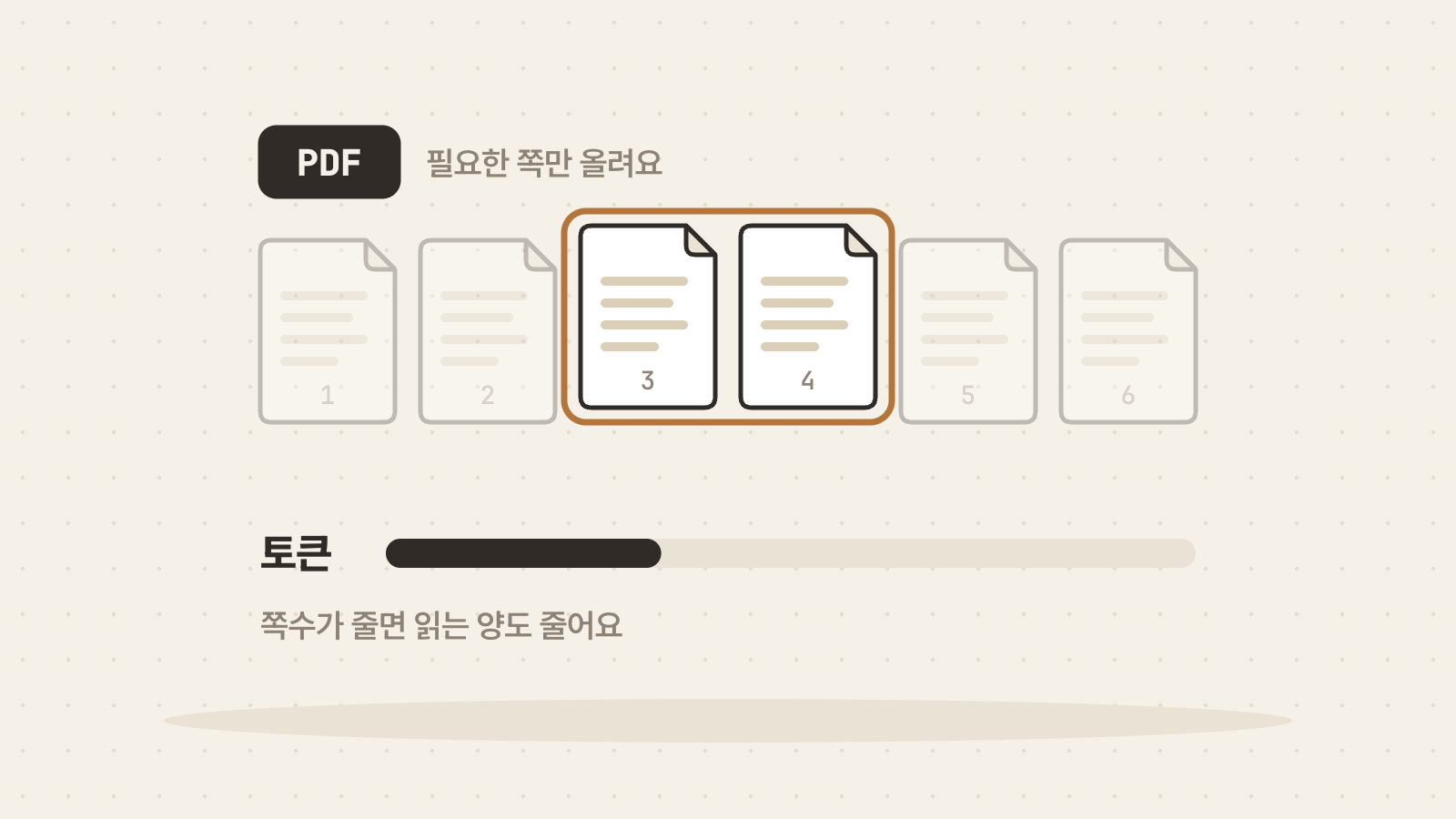
If you only care about chapter 3 of a 200-page report, upload chapter 3. Page count drives token use, so try this before anything else. The documentation also recommends splitting large or dense PDFs.
You do not need a separate program to split pages. Open the PDF, set a page range in the print dialog and choose ‘Save as PDF’ to create a new file with only that range. Check the table of contents for the page numbers first.
Upload text when you only need the words
For documents where only the wording matters, such as contract clauses or meeting minutes, try uploading them as text. Claude's help center says only text is read from non-PDF documents. Without page images, the upload is lighter.
Charts, drawings, handwriting and scans still need to be uploaded as PDFs because they must be seen. Converting to text can scramble table cells, so compare important figures with the original afterwards.
- Text-heavy contracts and terms
- Minutes and report body text
- Introductions and conclusions of papers
- Material where charts and graphs matter
- Drawings and design mockups
- Scans and handwriting
How does Claude read PDFs longer than 100 pages?
According to Claude's help center, PDFs uploaded to chat are handled differently by page count. Up to 100 pages get text and visual analysis, 101 to 1,000 pages get text only, and files over 1,000 pages fail with a file-too-large error.
So if you ask about a graph in a 150-page file and the answer is off, trim the part with the graph to 100 pages or fewer and upload it again. Chat accepts up to 500MB per file and 20 files per conversation.
| PDF pages | How chat reads it |
|---|---|
| 100 or fewer | Text and visuals are analyzed together |
| 101 to 1,000 | Text only |
| More than 1,000 | Cannot be uploaded |
Does a smaller file size mean fewer tokens?
File size in megabytes and tokens are different measures. Tokens depend on page count and the amount of text. If you compress a file but the pages and text stay the same, token use may barely change.
Reducing file size matters when you hit an upload limit. Project files are limited to 30MB each, so a photo-heavy PDF may need lower image resolution before it uploads. If your goal is fewer tokens, cut pages first.
Put a PDF you reuse into a project
For documents you return to across conversations, such as manuals or policy handbooks, upload them to a project. Claude's help center says project content is cached and counts less against your limits when reused. You do not need to attach the same file in every conversation.
Caches expire after a period of inactivity, and the first message afterwards counts that content in full again. Project files must fit within the context window as a whole, so trimming to the parts you need helps here too.
Send your questions together
Sending questions about a PDF one at a time makes the conversation longer, and conversation length also affects usage. Combine related questions in one message, for example: ‘Summarize the conclusion of chapter 3 in three sentences, list the figures in table 2 and tell me the limitations mentioned.’
Say which range to read as well. A request such as ‘Answer using pages 12 to 18 only’ also makes the answer easier to check. Use the page numbers shown in the PDF viewer, not the numbers printed on the document.
What else matters when sending PDFs through the API?
The API accepts up to 600 PDF pages per request, or 100 pages when the request's context window is under 1M tokens. Password-protected PDFs are not supported.
The documentation recommends prompt caching for repeated questions about the same PDF, the Files API for large or reused files and the batch API for high volumes. Putting your document workflow in a skill also saves you from resending long instructions with every request.
Frequently asked questions
Why do PDFs use so many tokens in Claude?
Claude reads both the extracted text and a page image for every page. Per the documentation, text typically uses 1,500 to 3,000 tokens per page and each image uses at most 1,568 tokens.
What is the easiest way to reduce PDF tokens?
Upload only the pages you need. Set a page range in the print dialog and save as PDF. For documents where only the words matter, upload them as text.
Does compressing a PDF reduce tokens?
File size and tokens are different measures. Tokens depend on page count and the amount of text, so compression alone may change little. Use compression when you hit an upload limit.